

01 · One scene, two stories
We had one sentence to explain: we hire for companies, we place teams inside them, so we know what they need. A hero image couldn't say that. A journey could. So the top of the page flies you into a building where a team is working, and the bottom flies you back out over a city where every lit window is someone who learned.
Both moments run on the same scene, the same renderer and the same camera. The page only decides where the camera is and what is switched on. And neither runs on a timer: your scroll is the playhead. We turn the section's scroll position into one number, and every effect reads that number to decide where it should be. Scroll back up and everything plays backwards, for free.
The opening is 11 screens tall and the closing is 7.6. The 3D picture stays pinned while you scroll through all that height, which is what makes it feel like a film. Raw scroll is jumpy, because a mouse wheel moves in steps, so each frame the animation only moves 8% of the way towards your scroll. That one line makes it feel smooth and heavy.
02 · Six hundred CVs, one draw
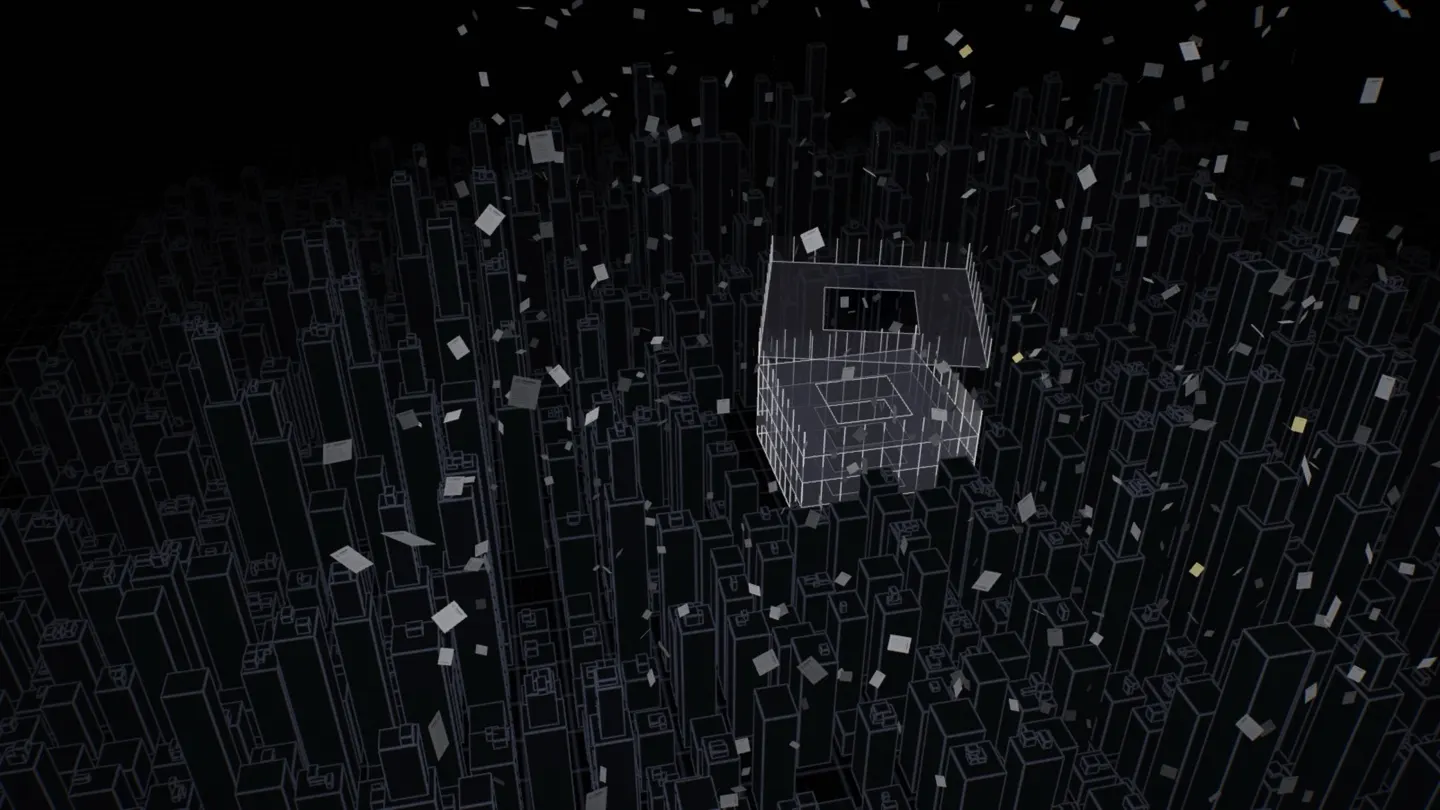
The page opens on a night city with CVs falling like snow. Every time the browser wants something drawn, it sends the graphics card a message: "please draw this". That's a draw call, and each one costs time. Six hundred CVs drawn one by one would be six hundred messages, sixty times a second.
So we describe one sheet of paper (a small CV with a photo circle and some grey lines, painted on a canvas) and ask the graphics card to draw it six hundred times in one go. Each copy gets its own start point, speed and spin. That's called instancing. The falling happens on the graphics card too. Each sheet drifts down, sways a little and wraps back to the top, so the snow never runs out. About half are dimmer than the rest, which gives the air depth.
03 · A tower that builds itself
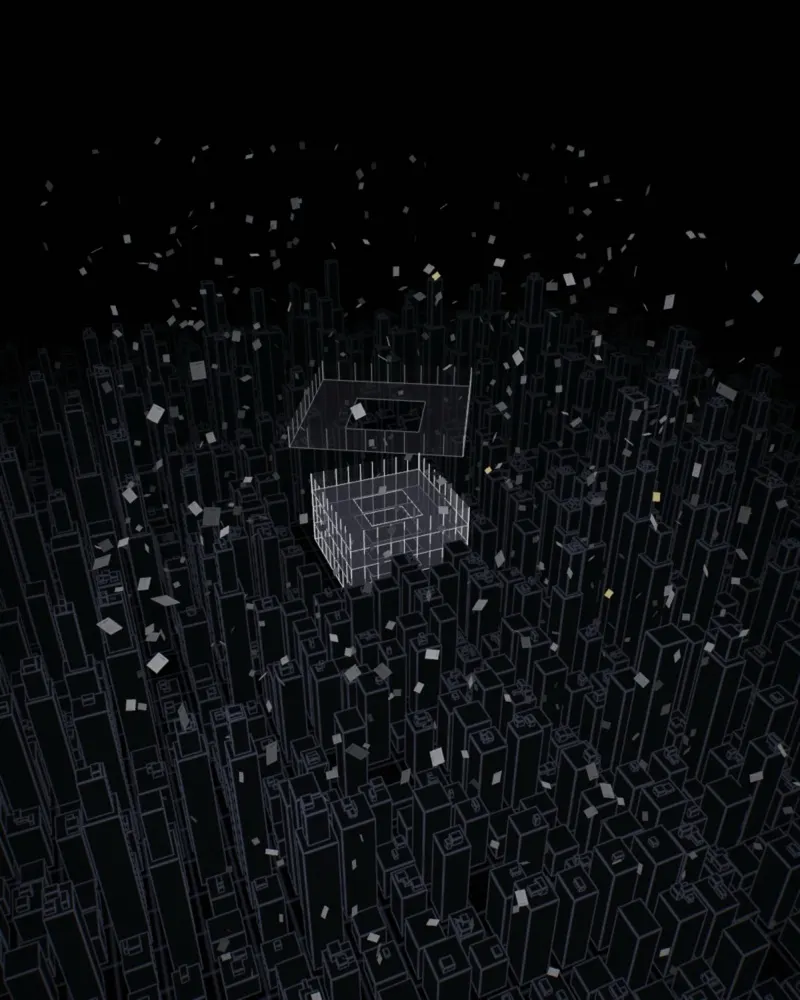
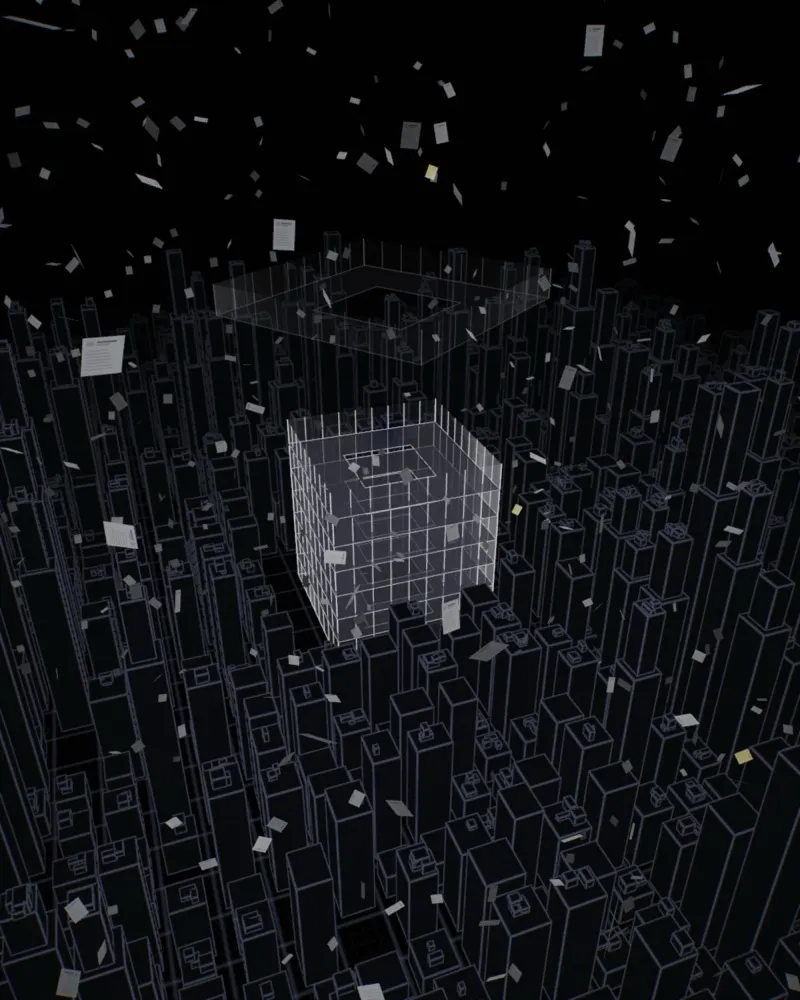
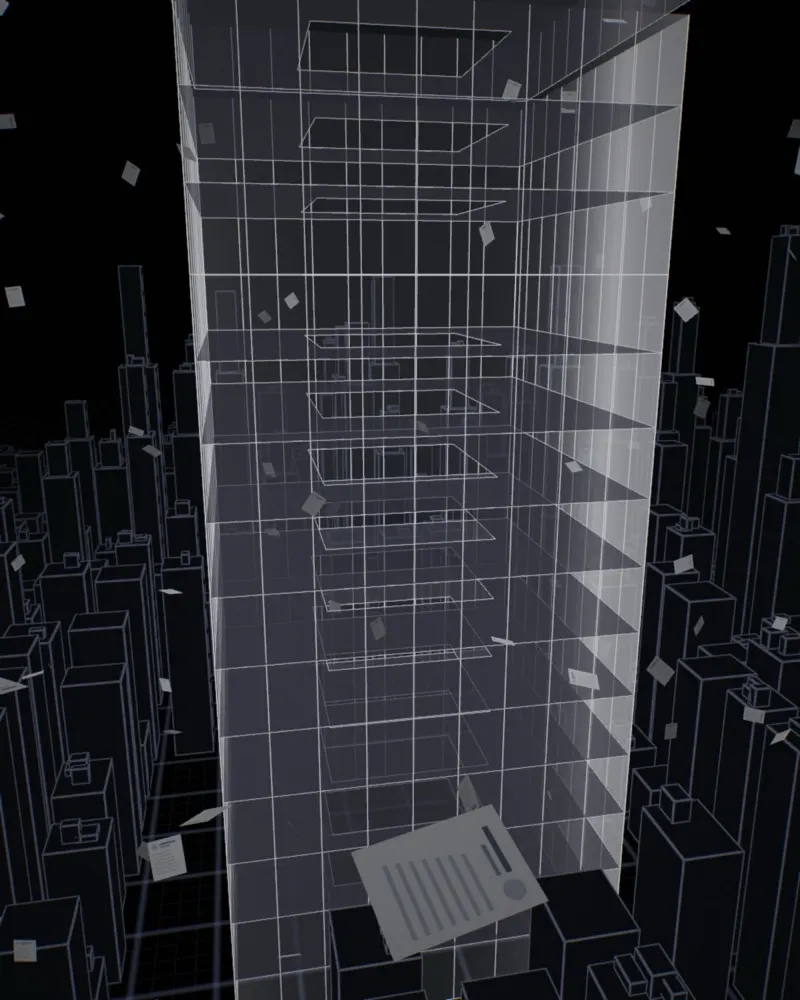
The tower is sixteen separate floors, not one model. Each floor is a glass band, an outline and a slab. As you scroll, floors drop from above, twist a little and lock onto the one below. It reads like construction, but it's just three numbers per floor: height, rotation and scale.
The rest of the city is there for scale, not attention. At the top it's drawn as a dim blueprint and the fog thickens as you go in, so your eye stays on the one building that matters.
04 · The slow-motion 360
Then the camera stops pushing forward and circles the team floor once. Everything else slows down with it: the CVs hang in the air while you read "…and yet only a few get the offer". It's the moment the page stops being a website and starts being a shot.
How do you stop time but keep the camera moving? The scene gets its own clock. Normally it follows real time, but during the orbit it slows to 1.5% speed. The CVs read that slow clock, so they freeze. The camera reads your scroll, so it keeps going.
Stop the clock, keep the camera. That one multiplication is the whole bullet-time effect.
The orbit is a circle around the floor's centre whose radius pulls in slightly halfway round. We ease into it and out of it with the same S-shaped curve, so you never feel the switch from "fly forward" to "circle".
05 · Filling the pod
The table arrives as glowing wireframe lines first, then turns solid, popping up like a pop-up book: a little too tall, then settling. Three people are already working. Then the grey CVs drop out of the sky, four turn gold, and one after another each flies into an empty laptop and shrinks into its screen. A moment later a new person appears in the chair behind it, with a small pop.
That's the whole business model in four seconds: we add the right people to the team. The labels for our three tracks float above the new people. They're plain web elements, not 3D. Each frame we work out where the 3D seat lands on your screen and move the label there.
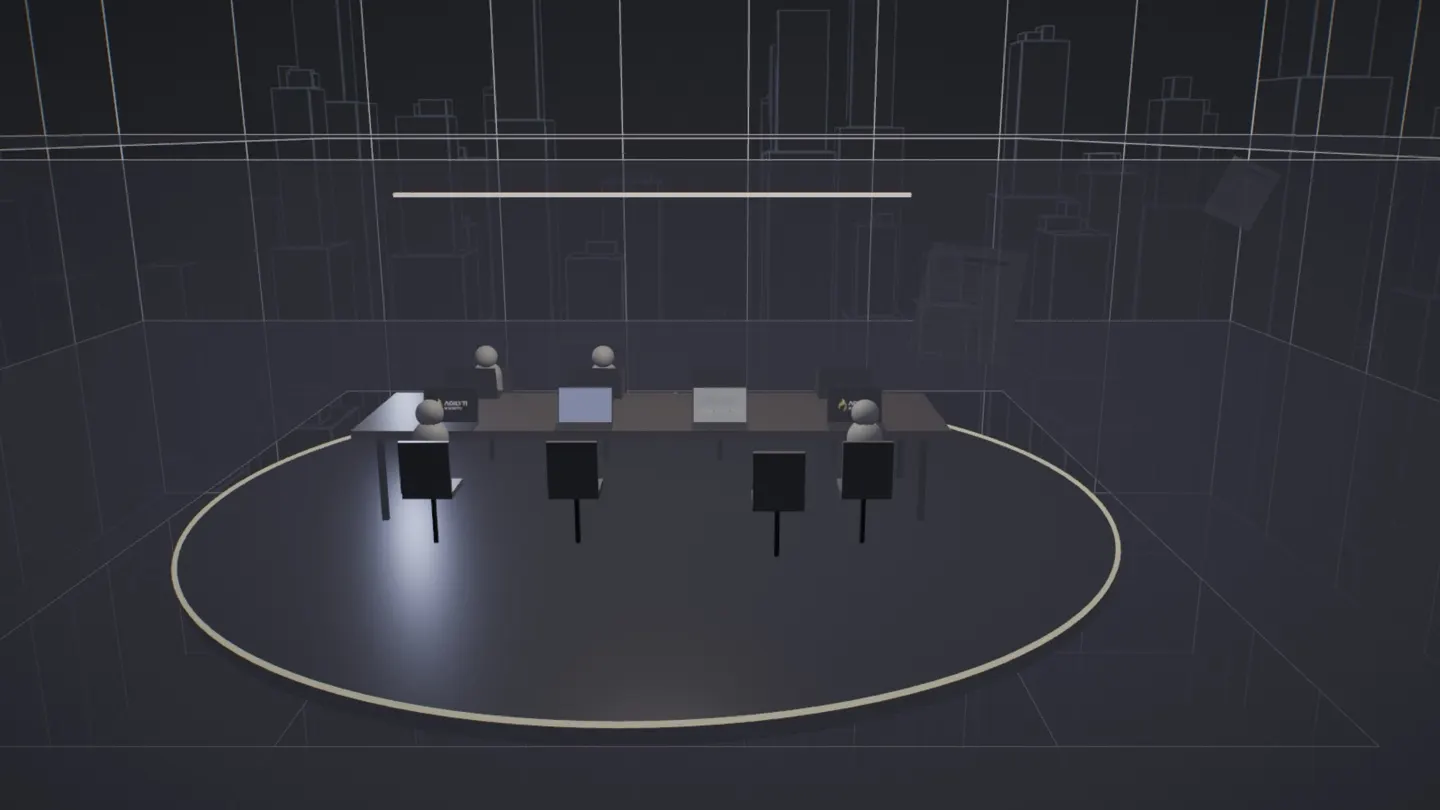
One seat stays empty on purpose. Its laptop is the screen the camera flies into.
06 · Into the screen
This was the hardest part. The camera flies straight at the empty laptop until its screen fills your view, and the real page is already sitting behind it. To make the switch invisible, the laptop doesn't show a picture of the page. It draws the page.
We also work out exactly how close the camera has to be for the little screen to fill your window: on a wide window we match the screen's width, on a tall phone its height. Right at the end we switch off the "film look" (the tone curve and dark corners on the 3D picture), so the colours match the real section exactly.
The camera also has to stop exactly where the scroll stops. Any slack there feels like the page is blocking you, so the last stretch follows your scroll directly, with no smoothing.

07 · The drone shot
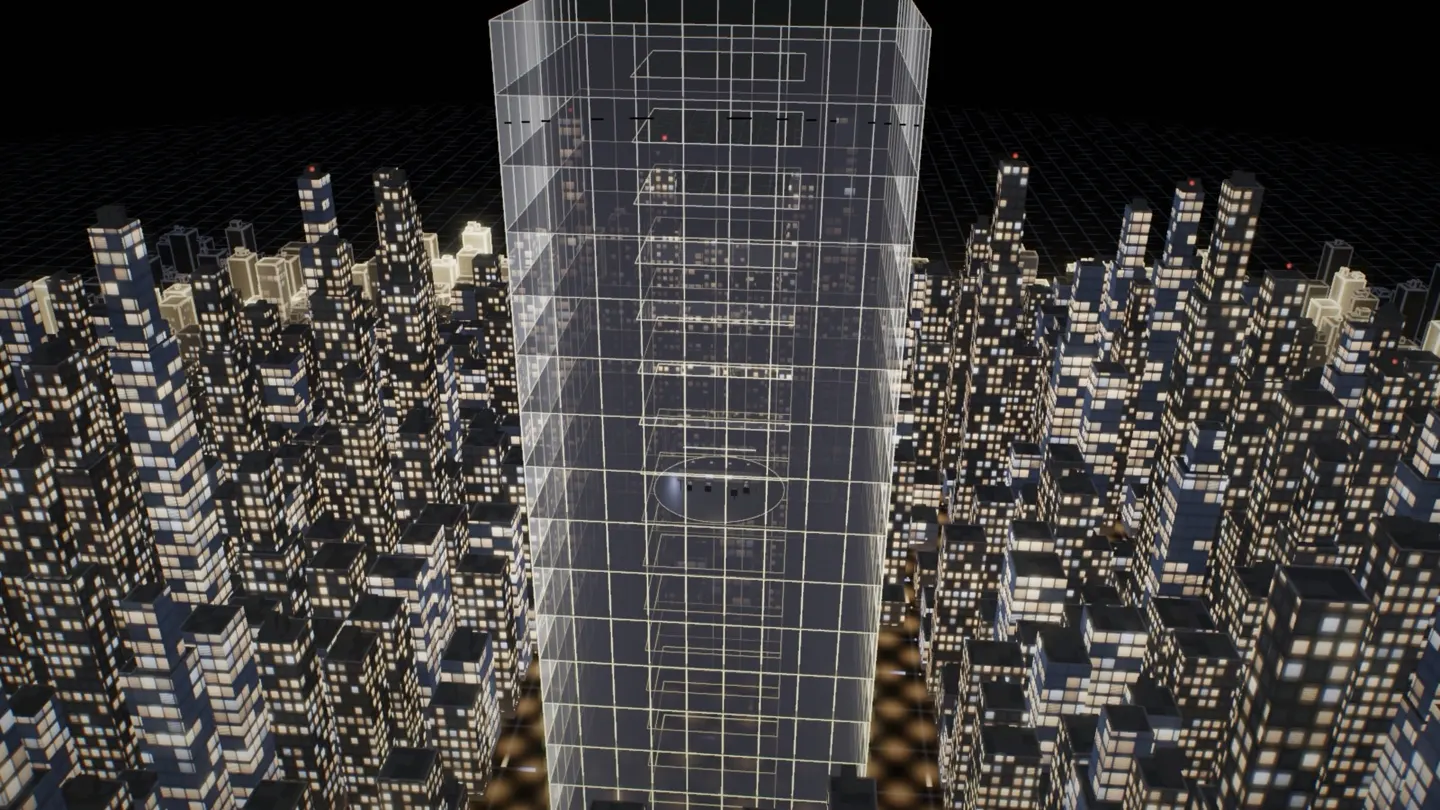
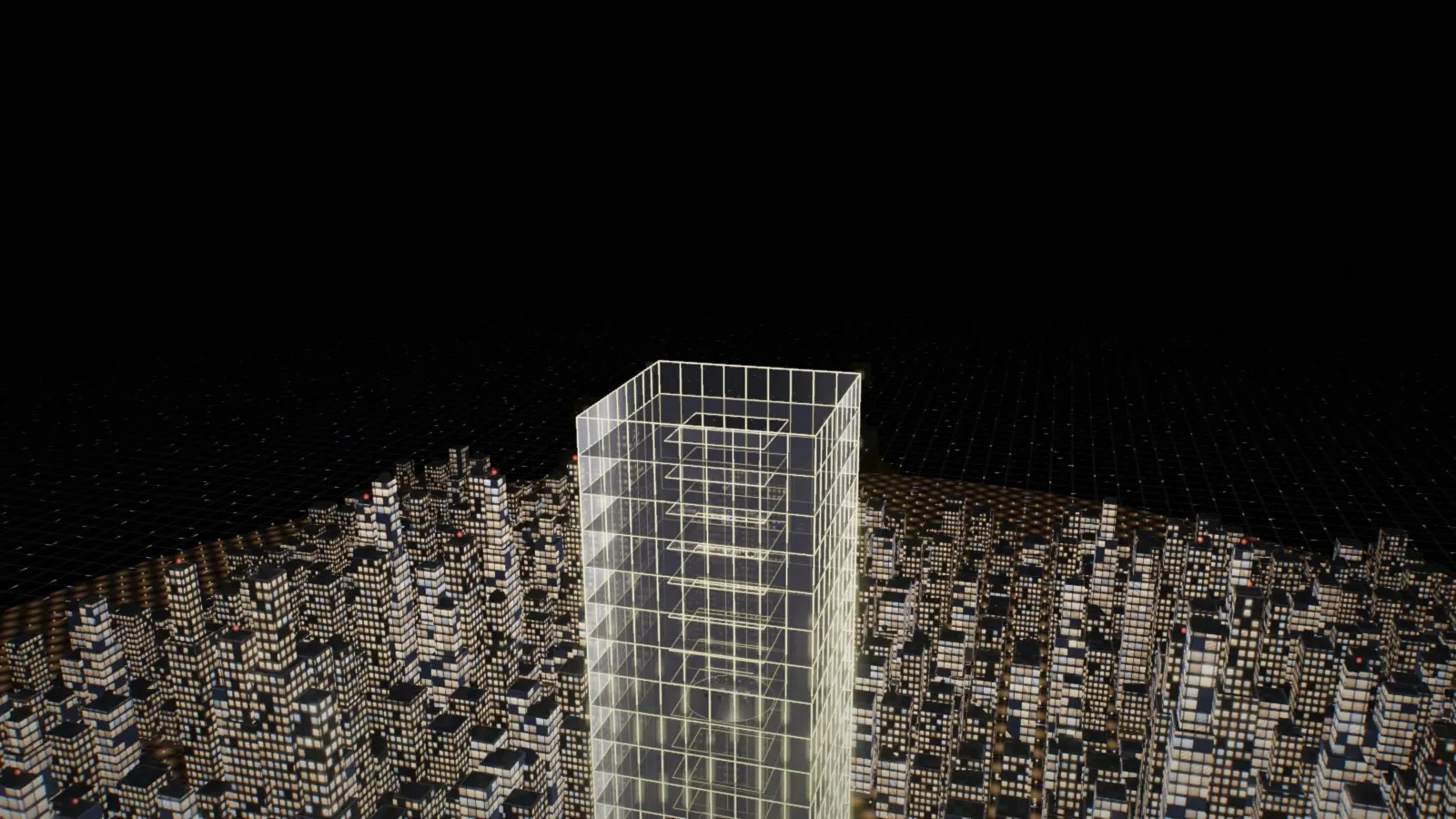
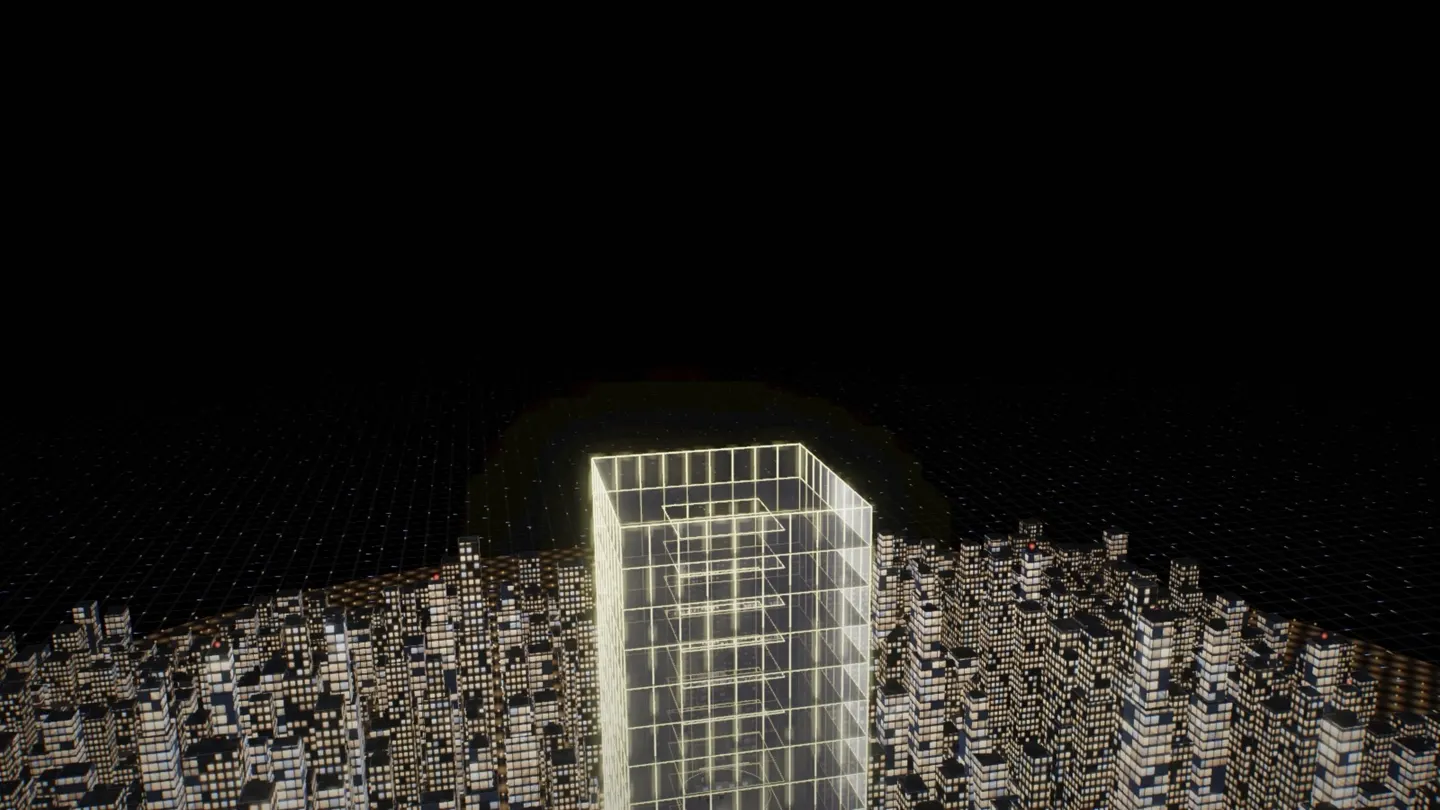
The closing reuses everything. Same renderer, same city, same tower. This time it starts as a soft blueprint. A light lands on the roof and pours down the tower floor by floor, the floors close up, then a wave of light rolls out until every building is lit, and the camera rises away like a drone. The idea came from igloo.inc, whose scenes start as an architect's drawing and turn real in front of you.
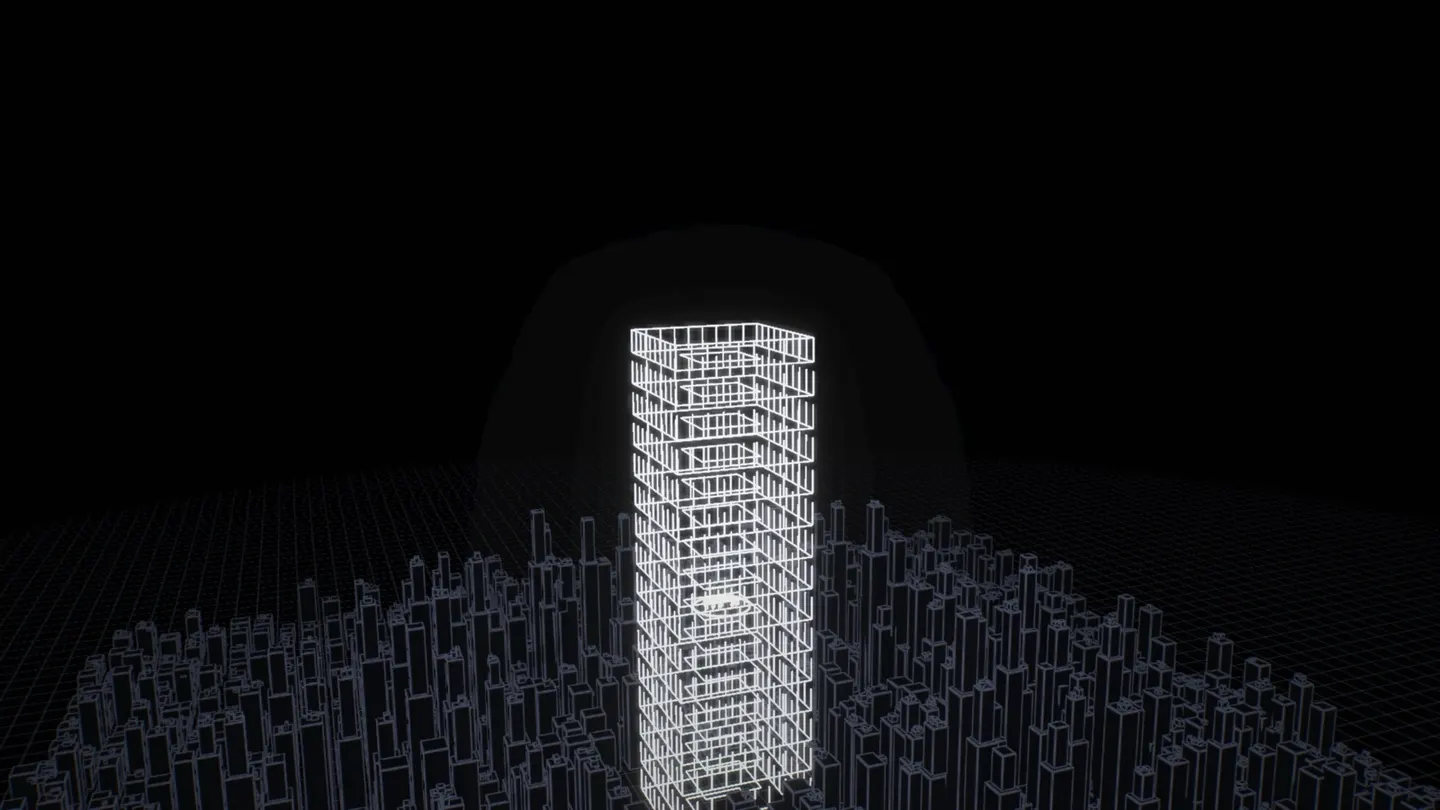 Blueprint
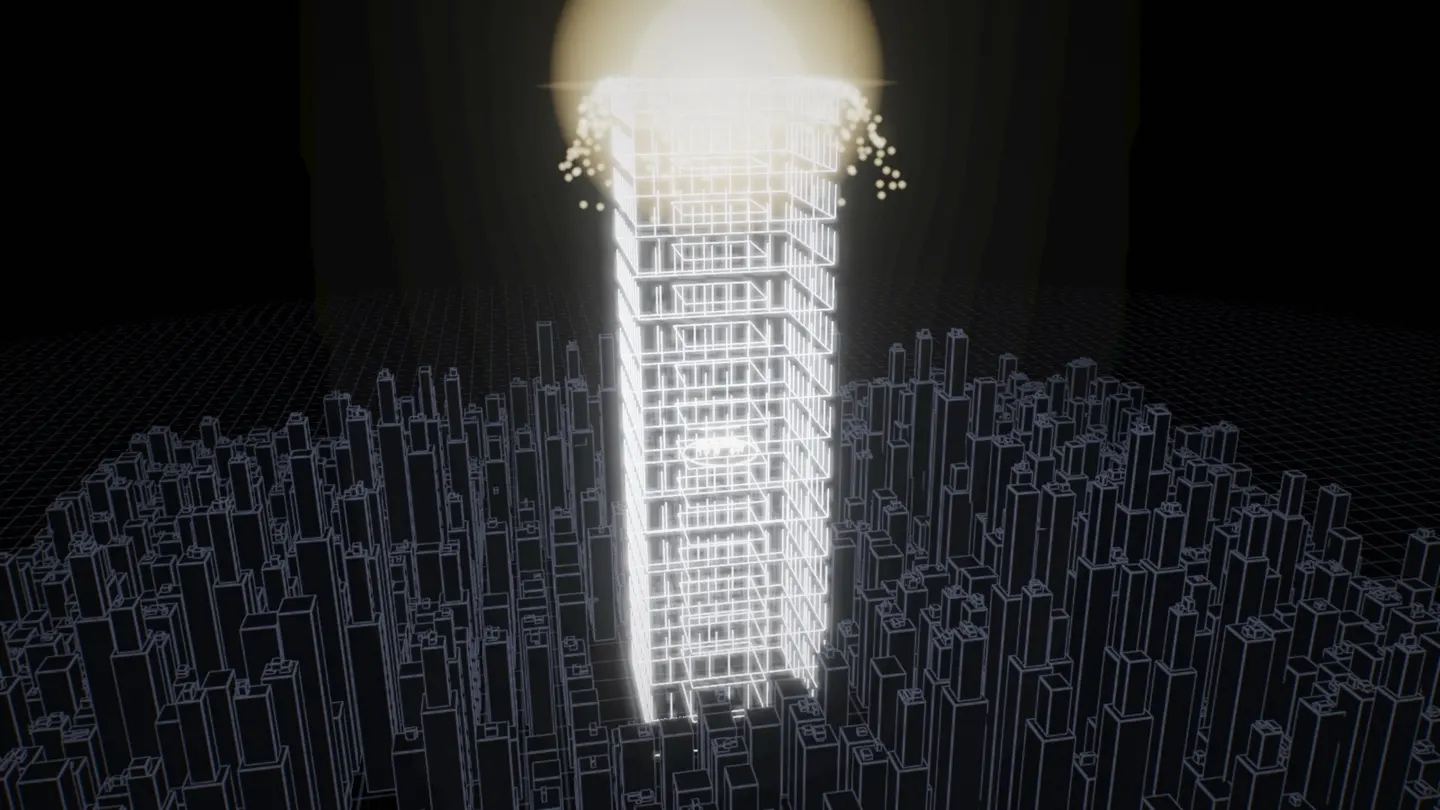 Light on the roof
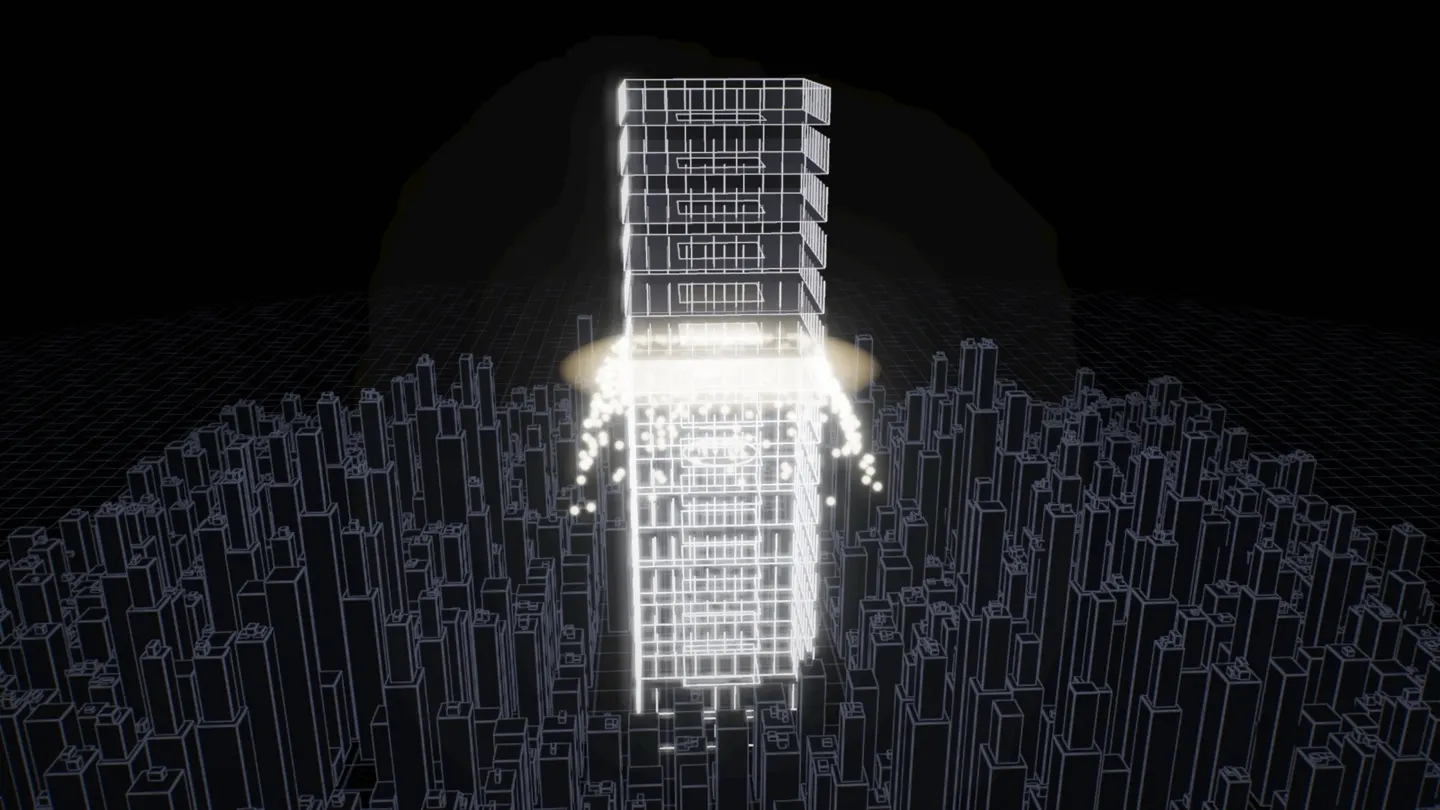 It pours down
 The wave
 Drone pulls back
 Room for the title
Here's the closing's timeline, live. Scroll slowly past the picture: as it moves up your screen, the playhead runs from 0 to 1.
08 · One city, one draw
The city is the CV trick at a bigger scale. We describe one box, then give the graphics card a list of where each copy goes, how wide it is and how tall. That's over a thousand buildings in a single draw call. Tall towers get a second, narrower box on top for a stepped roof. Those are just more entries in the same list.
09 · The lines aren't lines
You'd think the blueprint is drawn with lines. It isn't. Every building is still a solid box, just painted differently. For each pixel, a shader (a tiny program on the graphics card) asks: how close am I to an edge of this box? Close to an edge, paint a soft blue line. Anywhere else, paint almost black.
A shader function called fwidth tells us how big one pixel is at that spot, so we measure the line in pixels, not metres. Near or far, the lines stay equally thin. The city at the top of the page uses this exact same paint.
10 · Light that pours down
The ring of light doesn't think in metres. Its position is counted in floors: 16 at the roof, 0 at the street. Every floor compares its own number with the light's. Above it, still a blueprint. Below, turning to glass. Right at the light, a bright edge.
Our first version counted in metres. But the floors move (next section), so the light started in mid-air above the roof, and the floors didn't match the ring. Counting in floors made the light stick to the building.
11 · Floors that open
At the start of the reveal the floors hang apart, like the exploded drawings in a furniture manual. While the light pours down, they close into a normal tower. Each floor moves up by its number × 2.4 metres × how open the tower is, so the ground floor never moves and the roof moves the most.
12 · The wave
Once the tower is lit, the light rolls out as a growing circle. Every building checks one thing: am I inside the circle? Inside, real windows. Outside, still a blueprint. On the edge, a warm glow.
The circle grows to 600 metres, but the city ends about 200 metres out. At an even speed the wave crossed every building in a blink and spent the rest of the scroll on empty ground. So it starts slow and speeds up, and the section got more scroll room.
13 · Making it look real
Our first lit city looked like a game from 2005. We didn't move a single building to fix it. Every change is in the paint:
- Three kinds of light. Each window picks cool white, warm white or a yellow desk lamp, like a real office block.
- Most windows are dark. At night only about one office in four is on. Fewer lights looks more real, not less.
- Brighter at the top. Each window fades upward like a ceiling light, and some get thin stripes for blinds.
- A few extras. Machinery on the roofs, and blinking red lights on the tallest towers, the kind real towers have for planes.
14 · Three mistakes
Every one of these made it onto our screens before we caught it. Switch each one back on below.
Big soft squares
Bloom blurs bright things at five sizes and adds them back. The two blurriest come from such a tiny picture that they show up as squares. We switched those two off.A hill that wasn't there
We tinted the fog warm near the horizon. With near-black buildings in front, it drew a big brown "hill". Now the fog fades to pure black.A black shape
A camera ignores anything past its "far plane". Parts of our sky ball were further than that and got cut away. We pushed the limit out.15 · Every screen
During the reveal the camera has one job: keep the whole tower in view. On a laptop that's easy. On a phone, tall and narrow, a camera that only thinks about height cuts the tower's sides off. So it works out two distances, one to fit the height and one to fit the width on this screen shape, takes whichever is further, and steps back another 22% for air.
16 · What it costs
A beautiful effect that stutters on a phone is a broken effect. On the real page, the whole closing reveal and the richer city added surprisingly little:
- One draw for each crowd. The CVs and the city are each drawn in one go, and every building shares one shader.
- Paint, not geometry. Windows, blinds and blueprint lines are worked out in the shader. None of them are extra shapes.
- A cap on sharpness. Some phones have 3× pixel density, which means 9× the pixels. We stop at 2×, and nobody can tell.
- Pause when hidden. If the 3D isn't on screen, it doesn't draw. This article does the same: one 3D canvas moves into whichever live demo you're looking at.